Understand where UFC actually plays with DIRECTV
For U.S. DIRECTV customers, the route to the full UFC card in 2026 is qualifying Paramount+ access and the Paramount+ stream. Some events also have a CBS television window. There is no single DIRECTV channel number that you can enter to guarantee every preliminary bout, every Main Card and every Fight Night throughout the year.
Three similarly presented products cause much of the confusion. Paramount+ is the streaming service carrying UFC. Paramount+ with SHOWTIME is also the name of a premium television package with linear channels. CBS is a broadcast network that can simulcast selected UFC coverage. A subscription can connect those products through a benefit, but they remain different places to find a program.
DIRECTV’s 2026 UFC announcement explains that eligible Paramount+ with SHOWTIME subscribers can stream UFC on Paramount+ without an extra UFC pay-per-view purchase. That does not mean every bout is scheduled on a SHOWTIME channel in the receiver’s guide. Find the event in the app unless the official event listing specifically identifies a television broadcast you can receive.
This distinction matters on a numbered-event night. Opening an old UFC pay-per-view purchase screen or checking ESPN because that was your routine in an earlier year can send you away from the current U.S. stream. Fight Nights follow the current Paramount+ arrangement too; the event branding does not by itself determine a different DIRECTV sports package. Verify the current UFC TV schedule for the actual date and coverage stage.
The instructions below were checked on October 19, 2026 and concentrate on DIRECTV accounts: identifying an included benefit, choosing the current provider sign-in, finding a local CBS broadcast and resolving the gap between a satellite receiver and an internet app. Use our general Paramount+ UFC guide for the wider streaming-plan explanation. Here, the first useful question is which Paramount+ entitlement your particular DIRECTV account actually holds.
Check your package and Paramount+ entitlement
Sign in to your DIRECTV account and inspect the current package and add-ons. Record the exact Paramount+ product name, whether it is included or separately charged, and when any offer ends. A promotional television preview, a free channel in a guide and a fully activated streaming benefit are different things to verify. The most relevant evidence is what your account says you can use today.
Essential access is delivered through the app
DIRECTV’s Paramount+ support page distinguishes an Essential add-on that delivers viewing through the Paramount+ app and does not include the SHOWTIME channels. In the U.S., Essential can carry the UFC stream even though its broader television benefits differ from the higher Paramount+ plan. The absence of a SHOWTIME channel in your guide is therefore not, by itself, evidence that an active Essential subscriber cannot watch UFC.
Availability through DIRECTV depends on package and billing arrangements. Certain streaming accounts billed through third-party platforms cannot add the same Paramount+ option through DIRECTV. If your signed-in account does not offer it, check your account’s eligibility with DIRECTV rather than assuming a generic package chart overrides that limitation. You may already have a separate subscription through the platform taking payment.
Paramount+ with SHOWTIME adds channels and an app benefit
The with-SHOWTIME product combines premium television channels with qualifying Paramount+ app access. DIRECTV advertises the channel group beginning at 545, but that number identifies the premium lineup; it is not a guaranteed destination for tonight’s UFC Main Card. Its current package terms also include eligibility conditions, including CBS carriage in the relevant subscription and an account in good standing. Read those conditions before treating the app benefit as automatic for every DIRECTV package.
If you are choosing between options, make a viewing list before changing the plan. UFC access is one requirement; SHOWTIME programming, the local CBS feed and other television channels are additional preferences. Paying for a broader package because it includes more networks is a different decision from activating UFC access you already have. Our existing-benefit and trial guide can help you check the latter without confusing “included with a paid package” with permanently free viewing.
Finally, check the recurring price after a promotion, not just the introductory figure. Compare it with the package change you are about to approve. Keep the confirmation: if app access later disappears, the exact product and effective date give support a clearer starting point than “I have the sports channels.”
Connect DIRECTV to Paramount+ before the card
Work out whether you are connecting an unused benefit or signing back into one that already works. Those are different tasks. Before starting, confirm you can sign in to your DIRECTV account in a browser. Recovering a forgotten provider password is easier before the first preliminary bout than while a television is displaying an expiring sign-in code.
Setting up a new provider connection
For a new eligible connection, open Paramount+ and choose its provider connection option, or visit Paramount+ partner sign-in. Select DIRECTV and authenticate using the DIRECTV user ID and password associated with the eligible account. Follow the returned instructions on that screen. The provider login verifies the television subscription; it is distinct from typing a DIRECTV password into a general Paramount+ email-and-password field.
DIRECTV’s current broad support page describes this as connecting the provider without a separate activation process. Some older DIRECTV instructions instead use the /link address and describe creating Paramount+ credentials. Because both styles of instruction remain online, use the current flow presented to your account, keep track of any Paramount+ credentials it establishes, and avoid treating an additional paid sign-up as a required activation step.
After the connection succeeds, open the UFC collection and locate the relevant live or upcoming event. If you are setting up a television, complete its device sign-in instructions using an already entitled account. Seeing the app’s home screen is only one part of the check: finding the actual UFC listing establishes that you know where to return on fight night.
Already linked through DIRECTV STREAM?
Paramount’s March 26, 2026 sign-in notice says the DIRECTV provider choice also covers DIRECTV STREAM. The disappearance of a separate STREAM label does not mean your benefit has disappeared. Already activated subscribers should continue using their existing Paramount+ email and password while that link remains valid, reconnecting when reauthentication is required.
The same notice warns that unnecessarily entering the new provider route while an existing STREAM link remains active can produce an error or a request to create another account. In that situation, do not create a duplicate account simply to get past the prompt. Return to the existing Paramount+ sign-in and seek official support if it fails. This makes the practical rule clear: preserve working linked access; use the provider flow when establishing or renewing the connection actually requires it. Test the final device before the card listed on UFC tonight begins.
Find CBS simulcasts in your local channel guide
To find a UFC broadcast on CBS, establish both the local station and the broadcast window. Open the DIRECTV channel lineup, enter your ZIP Code, select the appropriate service and package, and search for CBS. Then check the guide for the event’s date. A CBS channel number from another city or a years-old national channel PDF is a poor substitute for your own lineup.
DIRECTV explains that local availability depends on billing ZIP Code, market, package and local-channel choices. Some packages omit local stations, and satellite customers can have an option that excludes them. If CBS is absent, identify that package or local-carriage issue first. CBS Sports Network and a CBS news stream are also different services from the CBS broadcast station named in a UFC simulcast announcement.
Next read the actual UFC broadcast notice. A useful historical example is the official UFC 326 CBS announcement: CBS scheduled 8–10 p.m. Eastern coverage containing the final hour of prelims and the first hour of the Main Card. That was a specific March 2026 window, not a promise to televise the complete card or the final title bout every Saturday.
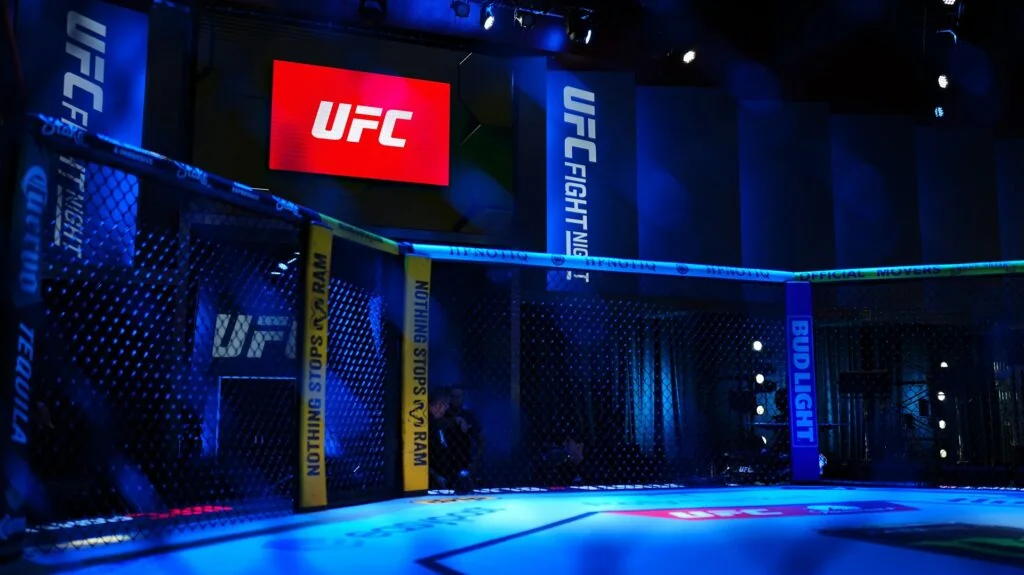
If your priority is a particular preliminary fighter, compare that bout’s card placement with the CBS window. If you want the headliner, check that the window extends far enough to include the main event. A schedule labeled “Main Card” describes a group of bouts; “main event” describes the final fight. Their starts are not interchangeable.
For a seamless evening, establish Paramount+ app access before the television window ends, even if you intend to watch CBS first. Test opening the app on the device beside the receiver, and know which input or app you will use when switching. The UFC this weekend page helps identify the current event; its coverage listing is the place to compare program stages. Recheck announcements on fight day rather than carrying an old simulcast assumption forward.
Set up the full card across your screens
Choose a primary screen and establish a second supported way to reach the same entitled stream. A television is usually the comfortable option for a long card; a signed-in phone or browser can help if that television’s app fails. The useful backup is one that you have already authorized, not a second subscription you hope to activate during the walkouts.
Satellite television and app streaming use different paths
A satellite receiver playing a linear channel and Paramount+ playing a live internet stream are different delivery paths. Your dish working normally does not establish that the streaming app has internet access. Conversely, a receiver’s guide failing to list an app-only UFC event does not demonstrate that an eligible Paramount+ account lacks the fight.
DIRECTV’s Gemini information describes access to third-party apps alongside television viewing. A compatible, internet-connected device can make switching convenient, but the app still needs its own supported setup and qualifying subscription. Check the particular device’s apps menu. If your receiver cannot run Paramount+, use a supported smart-TV app, streaming player, phone or browser rather than searching endlessly for an app inside a receiver that does not support it.
Rehearse the path you will actually use. Open Paramount+, verify an entitled video plays, check the audio through your chosen speakers, and locate the upcoming UFC event. If a CBS simulcast is part of the plan, practice returning from the channel guide to Paramount+ on that television. Doing that once before the card is more useful than discovering the correct input after the broadcast window has ended.
Set your reminder for the earliest coverage stage you want, using the event schedule and your local time zone. Do not equate a posted Main Card start with an exact headliner walkout. A series of decisions can stretch the evening; early finishes can change its pacing. Watching only for a final bout calls for joining with a margin, while following an undercard fighter means checking the preliminary start.
If you are watching later, establish whether the service offers the full-event replay you want and when you intend to watch it. Television recording, app rewind and on-demand replay are separate functions. Use only the options actually offered for that event and device. Put the correct start in your UFC calendar and keep the tested app ready.
Resolve sign-in, duplicate billing and playback problems
Identify the point of failure before changing anything: DIRECTV sign-in, Paramount+ benefit connection, event discovery or video playback. If the receiver’s channels work but a Paramount+ login fails, resetting the dish is unlikely to address the account question. If the correct live event opens and then stalls, buying another package is unlikely to address the player.
The provider rejects your account or asks you to pay
Try signing in to DIRECTV itself and confirm that the qualifying product is active on that account. If the user ID or password fails there too, use DIRECTV’s official account recovery instructions. If provider sign-in works but the benefit is rejected, ask DIRECTV to confirm the package’s eligibility and billing status. Keep any account-change confirmation available.
If a previously activated DIRECTV STREAM benefit is involved, use the existing Paramount+ login first, following the migration guidance above. Do not repeatedly create new accounts to bypass a connection message. A paid sign-up screen is a cue to verify which account and route you are using, not proof that the event now requires an extra UFC purchase.
A separate subscription you already bought from Paramount, Apple, Amazon or another billing provider is another issue. Adding a DIRECTV benefit does not automatically cancel that old subscription. Once the intended viewing route works, manage any unwanted overlapping subscription with the company that bills it and check its end date. If you cancel DIRECTV or remove the qualifying add-on, reassess the linked benefit before the next card; do not assume the app remains entitled indefinitely.
The event opens but the stream fails
Check that the streaming device is online, update its operating software and Paramount+ app, then close and reopen the app. Test the same event on another supported device. If another video works but UFC does not, note that difference. If the phone works while the television fails, focus on the television’s app and connection before altering the subscription.
Give support the exact event, country, device model, app version, error wording and whether another screen plays successfully. For a DIRECTV package or provider-password issue, start with DIRECTV; for an entitled Paramount+ event that fails in its player, Paramount+ support needs those playback details. A missing local CBS station calls for a separate lineup and location check. Our UFC Paramount+ troubleshooting guide expands those tests. Keep the diagnosis specific so you can return to the fights with the account and screen you already prepared.
Fight talk
Comments