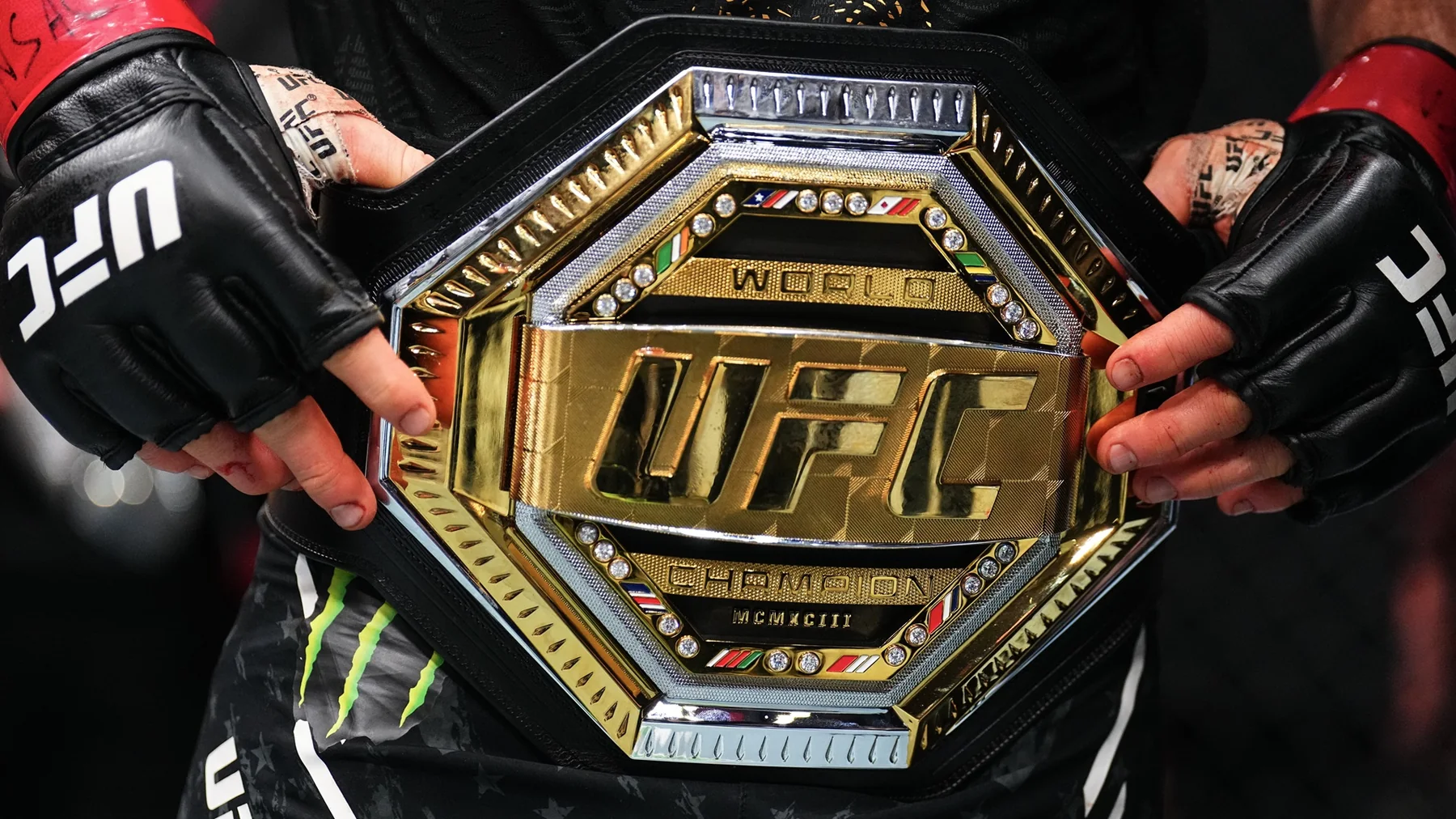
Is every UFC event on Paramount+ in 2026?
Yes—for viewers in the United States, an active Paramount+ subscription includes every UFC numbered event and UFC Fight Night in 2026 without a separate pay-per-view purchase. That is the essential change from the previous U.S. model. You still pay for Paramount+, but you do not reach a second checkout page to unlock the main card of a numbered event.
Included on Paramount+
Numbered events, UFC Fight Nights and special UFC cards in the U.S. package stream through the service. Both the live event and on-demand fights are part of the subscription rather than separate UFC PPV products.
Only select cards reach CBS
CBS simulcasts are an additional broadcast route for specifically announced events. A card can be Paramount+-exclusive even when another numbered event appeared on CBS.
The sporting categories have not merged. A numbered event is still a marquee card that commonly carries a championship bout or another major main event. A Fight Night remains part of the promotion's regular event series. Fans who want a fuller explanation of the format, bout order and typical pacing can use our UFC Fight Night guide. What changed in 2026 is the U.S. distribution and payment path, not the meaning of the card labels.
Two qualifications prevent an easy answer from becoming misleading. First, “included” does not mean free without an account; the stream requires an eligible, active subscription. Second, Paramount and TKO announced this as a U.S. rights agreement. UFC media rights remain territorial, so a fan traveling or living outside the United States must check the authorized broadcaster for that country instead of assuming the American Paramount+ catalog will appear there.
The practical rule is simple: U.S. fans should treat Paramount+ as the complete streaming route, then treat a CBS listing as a bonus viewing option that must be confirmed card by card. That distinction keeps you from missing a Paramount+-only event while waiting for a broadcast-channel listing that was never promised.
How do you watch UFC live on Paramount+?
Sign in through the Paramount+ app or ParamountPlus.com, open the UFC hub, and choose the tile for the live segment of the card. Do this before the first scheduled bout rather than waiting for the headliner. A numbered event can move through Early Prelims, Prelims and Main Card windows, and the service may present those parts as distinct live entries.
- 1. Confirm the U.S. event listing. Match the event name, date and local start time against the official UFC listing and the Paramount+ event tile.
- 2. Sign in on the device you will actually use. A phone test does not prove that an older television app is current or that the correct profile is active there.
- 3. Open the UFC hub or collection. Select the live event rather than an interview, preview, highlight or replay carrying a similar thumbnail.
- 4. Choose the active card segment. If the Early Prelims end and the player closes, return to the event page and open the Prelims or Main Card tile.
- 5. Start playback early. Check video, audio and captions while there is still time to update the app, restart the device or move to a supported browser.
Paramount+ lists access across common smart TVs, Roku, Fire TV, Apple TV, mobile devices, consoles and web browsers, but support is model- and software-dependent. If a live tile does not appear, verify the account region, update the app and search the exact event name. Do not follow an unofficial mirror or a search ad that asks for a separate UFC event payment.
Finally, distinguish the main-card window from the main-event walkout. UFC publishes a scheduled start for each broadcast segment, but earlier bouts can finish in seconds or consume all three rounds, and production breaks also vary. Keep the stream running through the card instead of returning at a guessed headliner time. That approach protects you from both a fast undercard and a main event that begins earlier than a rough online estimate.
How should you use the 2026 UFC schedule?
Use the schedule as a rolling planning tool, then reconfirm the official event page and Paramount+ tile on fight day. UFC does not lock every opponent, bout order and start time at the beginning of the year. Paramount+ says cards and start times are commonly announced in the weeks before an event and explicitly marks them subject to change.
| When | What to verify | Why |
|---|---|---|
| Planning the week | Date, venue, event name and broad U.S. start window on the live UFC schedule | International cards may land in the U.S. morning or afternoon. |
| One day before | Official bout order, Early Prelims, Prelims and Main Card times | Withdrawals and bout reshuffles can change which segment carries a fight. |
| Fight day | The live Paramount+ tile, local-time conversion and any CBS label | A saved screenshot or old search result may no longer be current. |
For a typical numbered event, the broadcast advances from Early Prelims to Prelims and then the Main Card. That order helps you budget the evening, but not every Fight Night uses identical labels or durations. Read the segment names attached to the actual card instead of assuming a universal three-part template. If the event is overseas, convert every segment—not just the main card—into your local time and note whether the calendar date changes.
The published main-card time is also not the main-event start. A run of quick finishes can move the headliner earlier than a rough estimate; long decisions and production breaks can push it later. Fight fans who care about the full sporting story should join at the first segment they want to see and leave the stream open. That is more reliable than timing a login around an unofficial prediction for the walkout.
This article therefore avoids freezing a long remainder-of-year calendar. Use our schedule for planning, then use the official UFC event detail and Paramount+ listing as the final operational check. The closer you are to first bell, the more weight the newest event-specific information should carry.
Which UFC events are simulcast on CBS?
Only specifically announced UFC numbered events—and sometimes only selected fights from those events—are simulcast on CBS. The 2026 agreement does not promise a CBS broadcast for every numbered card, and it does not make CBS the normal home of Fight Nights. Paramount+ remains the one U.S. route that carries the complete UFC event slate.
Paramount+ UFC stream
The full-card route on either subscription plan. Use the live event tiles for Early Prelims, Prelims and Main Card when those segments are listed separately.
CBS broadcast
Available only for an announced card and window. Watch the local station by antenna where reception exists, or through a TV provider that carries it.
Premium local CBS feed
Paramount+ Premium can include the live local CBS station, subject to availability. Essential streams UFC but does not supply that local-station feed.
UFC 326 provides a useful historical example of why the wording matters. CBS carried its first UFC window from 8–10 p.m. ET, selecting fights from the prelims and main card, while the remainder of the evening stayed on Paramount+. That example explains the split; it does not establish the network window for any future event. A later card may receive a different CBS block or no CBS simulcast at all.
If your goal is free over-the-air viewing, look for an explicit CBS announcement tied to the exact event, confirm your local station's listings, and test antenna reception before fight night. Do not assume that a generic “UFC on CBS” search result covers the card you want. If you want every bout, open Paramount+ at the first scheduled segment even when a CBS window is also available. The station simulcast is extra access, not a replacement for the full-card stream.
This distinction also prevents a plan-choice mistake. Essential is enough to stream the UFC event inside Paramount+. Premium's local CBS benefit matters only if you specifically want the station feed and it is available in your market. Choose the plan for its wider features and price, not because you think UFC itself requires Premium.
How much does UFC on Paramount+ cost in 2026?
As of August 19, 2026, U.S. list prices are $8.99 per month or $89.99 per year for Essential, and $13.99 per month or $139.99 per year for Premium, before applicable taxes. Both plans include every UFC numbered event and Fight Night live and on demand. There is no separate checkout or event fee for a numbered card.
| Plan | Monthly | Annual | Annual difference |
|---|---|---|---|
| Essential | $8.99 | $89.99 | $17.89 less than 12 monthly payments |
| Premium | $13.99 | $139.99 | $27.89 less than 12 monthly payments |
The arithmetic is straightforward. Twelve Essential months cost $107.88 at the stated list price; twelve Premium months cost $167.88. Each annual option is about 16.6% lower for a full year. But annual is not automatically cheaper for a short stay: ten months cost $89.90 on Essential or $139.90 on Premium, a few cents below the respective annual price. If you expect to keep the service for 11 or 12 months, annual billing has the clear list-price advantage. If you want only a short run of cards, monthly billing preserves flexibility.
For UFC alone, Essential is the lower-cost choice because it carries the same live fights and replays. Premium's extra $5 a month buys wider Paramount+ features: a local live CBS station where available, all SHOWTIME programming, eligible downloads and fewer ads in on-demand entertainment. Live television still contains advertising, and no plan should be described as universally ad-free.
Treat these numbers as a dated list-price snapshot, not a guaranteed checkout total. Sales, student or bundle offers, app-store billing, taxes and renewal terms can change what you pay. Check the price, billing cadence and renewal date on the final purchase screen, especially if a promotion displays a low introductory figure. Also look for an existing subscription through another provider before signing up again; duplicate billing can erase any annual saving.
The clean comparison is therefore subscription versus subscription—not subscription plus an old $79.99 PPV. In 2026, active U.S. subscribers on either current plan already have the UFC event access discussed in this guide.
Can you watch UFC replays and older fights on Paramount+?
Yes. Current 2026 UFC numbered events and Fight Nights are available on demand on both Paramount+ plans, and the UFC Collection contains hundreds of older fights. A just-finished event may appear shortly after the live action ends, but Paramount+ does not publish one exact replay-release deadline for every card. Allow the live tile to close and the catalog to update before assuming a replay is missing.
- 1. Search the event number and name. Open the UFC collection or episode guide and look for an entry labeled “All The Fights” if you want the card as a longer event replay.
- 2. Search both fighter names. Paramount+ also publishes individual-bout entries. That is faster when you want one matchup and cannot find it under a broad event tile.
- 3. Check the event date and segment. Similar thumbnails can point to a preview, recap, Embedded episode, preliminary fight or main-card bout. Match the label before pressing play.
- 4. Refresh without spoiling the result. If the replay has not appeared, restart the app or try the web catalog later. Avoid news, social feeds and result-page snippets until you have watched.
Full-event and individual-fight playback solve different problems. The longer presentation preserves the card's rhythm and reduces the chance that a duration or title reveals how quickly a bout ended. A fight tile is efficient but its runtime, thumbnail or surrounding recommendations can become a spoiler. Choose the format before browsing deeply through the page.
The historic library is broad, not a promise that every UFC video ever produced will stay available forever. Paramount+ specifically promotes every fight from numbered events of the 2020s and maintains older-decade collections, but catalog rights and presentation can change. Search the exact event and athlete; if nothing appears, do not infer permanent availability from an old article or search result.
After watching, readers who want the official outcome and method can open our UFC 330 results recap. That page is intentionally spoiler-rich, so save it until the replay is complete.
What should you check before fight night?
Confirm the current event tile, local start time, account, device and connection before the live card—not when the main event is about to begin. UFC schedules move, international cards can start in the U.S. morning, and a television app that worked months ago may now need an update or a fresh activation.
The day before
- • Match the event name, venue date and every segment time on the newest official listing.
- • Convert the published time zone to your location and note any calendar-date change.
- • Confirm that you are using the U.S. viewing guide only inside its U.S. rights scope.
- • Check whether CBS is explicitly announced for this event and which fights or hours it carries.
- • Update the Paramount+ app and the operating system on the device you intend to watch.
Thirty minutes before
- • Sign in and play another title briefly to prove the account and device can stream.
- • Open the exact UFC tile and identify the active Early Prelims, Prelims or Main Card entry.
- • Stop large downloads and, where practical, use a stable wired or strong Wi-Fi connection.
- • Keep a supported browser or second supported device ready on the valid account.
- • If CBS is confirmed, verify the local station or antenna reception as an additional route.
Paramount's help material lists 2 Mbps as the minimum for live and on-demand playback and 25 Mbps for eligible 4K/HDR viewing. A minimum is not a promise of stable video in a busy household: other streams, weak Wi-Fi, latency and device performance can still cause buffering. Test the actual setup, not merely a speed result from a different room or phone.
If playback fails, move through a legal recovery ladder: confirm that the subscription is active, reopen the event tile, restart the app, try the supported web player or another supported device, and reboot network equipment if needed. Browser viewers can also check whether an aggressive ad blocker or tracking setting is breaking playback. Do not waste the opening fights on unofficial mirrors, misleading search ads or rights-evasion tools.
CBS is useful only when the precise event and broadcast window were announced. An antenna is not a universal backup for a Paramount+-exclusive card, and a partial CBS block may omit earlier fights. The safest final rule is simple: on fight day, trust the newest official event listing and the live Paramount+ tile over any saved screenshot, social post or old schedule snippet.
Fight talk
Comments